Real-time Dictation
Speak into microphone — text appears as you speak (intermediate and final results). You can pause recording, continue and stop, copy or save result. On Windows text insertion into active window and global hotkeys are available.
Free · Offline · Windows & Linux · no cloud
Free offline speech recognition software for Windows & Linux: speech to text, voice input and audio transcription. No cloud, no account, no subscription.
Free · no account, no subscription · your data stays on your computer
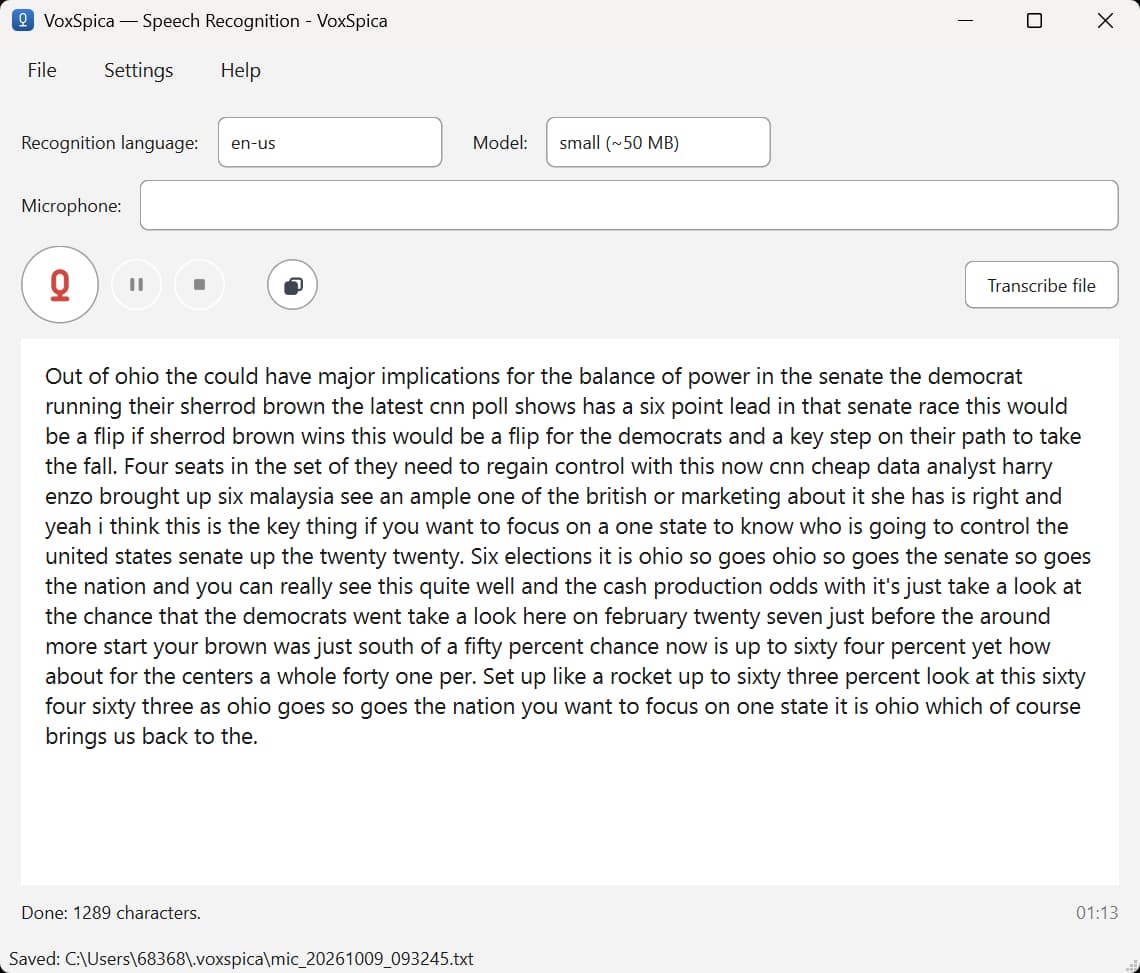
VoxSpica — free offline speech recognition software for Windows and Linux: speech to text (voice to text) and audio transcription (audio-to-text) on your own computer. The app converts voice to text, transcribes audio and video to text, and runs fully locally on the VOSK engine — no cloud, no account, no subscription, nothing sent to the internet.
With VoxSpica you can dictate text in real time (live dictation), convert audio to text and transcribe interviews, lectures, meetings and podcasts. It supports WAV, MP3, M4A and OGG (via FFmpeg), 33 recognition languages, small and large models, local transcription history with search and export to TXT and SRT with timestamps.
After downloading a language model, speech recognition works offline: the microphone, audio files and results stay on your computer. Ideal for private audio-to-text transcription, voice input without internet or dictation on Windows 10/11 and Linux — free, no registration, no limits.
Speak into microphone — text appears as you speak (intermediate and final results). You can pause recording, continue and stop, copy or save result. On Windows text insertion into active window and global hotkeys are available.
Open audio recordings and get text locally. WAV (natively) and MP3/M4A/OGG (via FFmpeg) are supported. Suitable for interviews, lectures, meetings and notes.
Offline and private: recognition is performed on CPU on your computer. Audio is not sent to cloud by default; user data is stored locally.
Without account and subscription: application is free (see license/EULA).
33 recognition languages (VOSK small/large models, size availability depends on language) and 9 interface languages.
History and export: local history in SQLite with search; timestamps and export of results (including .txt with timestamps and .srt, depending on scenario).
GUI and CLI: graphical window and command line for automation (file processing — one per call).
Windows and Linux: Windows 10/11 (x64), Ubuntu 22.04/24.04 and Debian 12+ (amd64). macOS is not supported.
Yes, the app is free — no subscription, no ads and no mandatory account. Usage terms are set out in the project license/EULA.
Yes. After installing the app and downloading a language model, speech recognition and audio transcription work fully offline. Internet is only needed to download the installer and models (and for optional update checks).
Nowhere. Recognition runs locally on your computer; audio and results stay with you. History and data are stored locally (in the VoxSpica user folder).
WAV (16 kHz, mono, int16) natively. MP3, M4A and OGG via FFmpeg, which must be installed separately.
33 recognition languages (VOSK models; small/large availability depends on the language) and 9 interface languages. Language auto-detection is available for files only.
Windows 10/11 (x64) and Linux — Ubuntu 22.04/24.04 and Debian 12+ (amd64). macOS is not supported. Hotkeys and insertion into the active window are Windows-only.
Yes, timestamps and result export are supported, including .txt with timestamps and .srt (depending on the scenario).
Accuracy depends on language, model, microphone quality, noise and diction. VOSK does not add punctuation automatically: periods and capitalization are added heuristically, commas are not added automatically.