VoxSpica Capabilities
Real-time dictation, audio file transcription, local history, timestamps/export, CLI and offline operation on Windows and Linux.
VoxSpica — free offline application for speech recognition: dictation with microphone and audio file transcription based on VOSK. Processing is performed locally on computer (CPU), without cloud and account.
Real-time Dictation
- Speech recognition from microphone with intermediate and final results.
- Recording control: start, pause, resume, stop.
- Copy/save text, work with transcript buffer.
- Windows: global hotkeys (by default
Ctrl+Alt+D/Ctrl+Alt+S) and text insertion into active window, including live insertion during recognition (plain text, without timestamps).
Audio File Transcription
- Transcription of audio recordings to text with progress display.
- Formats: WAV natively; MP3, M4A, OGG and others — via FFmpeg (not included in package).
- Convenient for interviews, lectures, meetings and personal notes.
Guide: audio transcription to text
Models, Languages and Quality
- VOSK (Kaldi ASR) engine, operation only on CPU.
- 33 recognition languages (
smalland/orlargemodels — depending on language). - 9 interface languages: Russian, Ukrainian, Belarusian, English, German, French, Spanish, Italian, Chinese.
- Automatic language detection available only for files (heuristically, based on installed models).
- Post-processing: capitalization and periods; commas are not added automatically.
History, Timestamps and Export
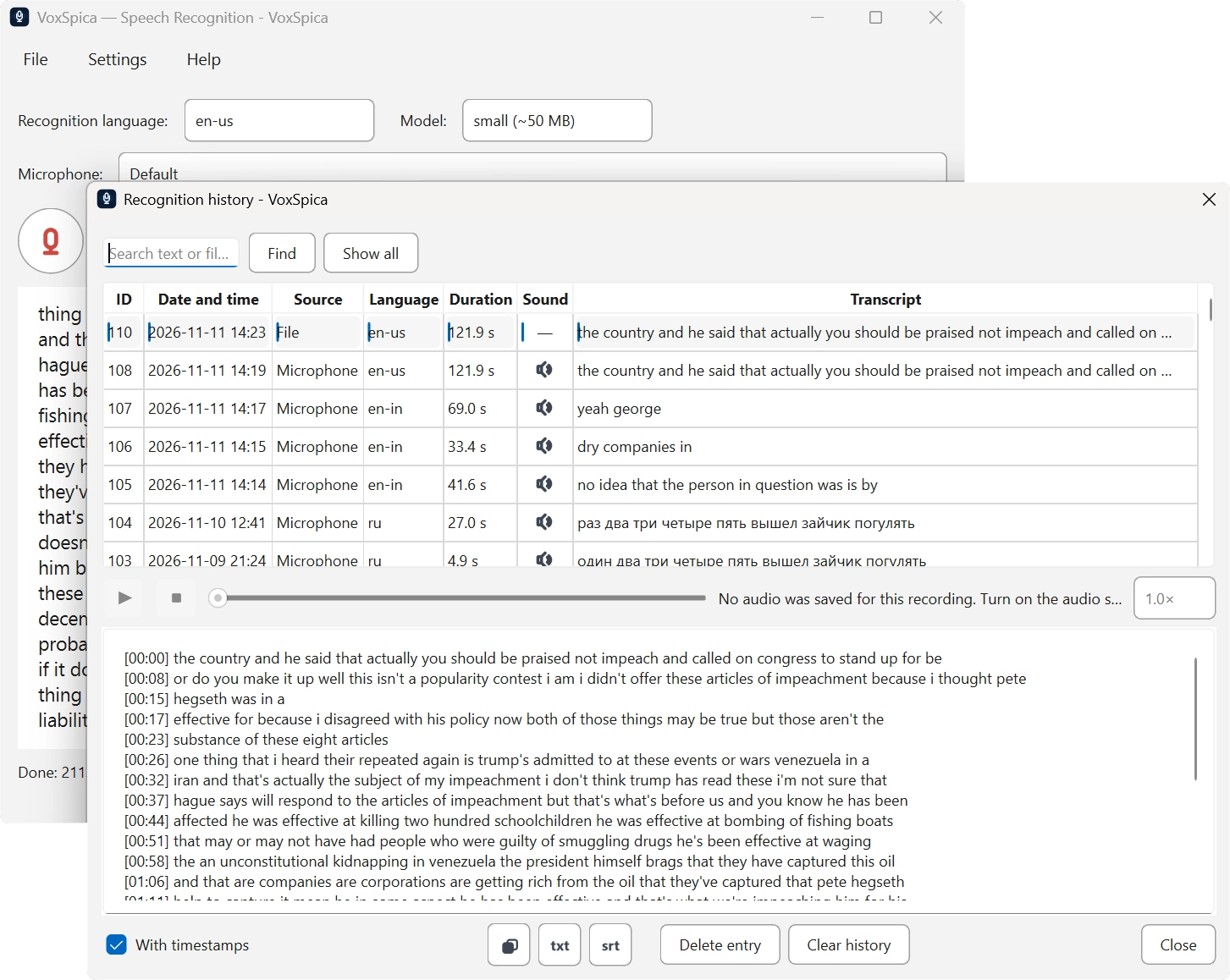
- Local recognition history in SQLite (
~/.voxspica/history.db): date, type (mic/file), language, model, device, duration, text, timestamps. - Search (including Unicode casefold), viewing, deletion of records and cleanup.
- Timestamps and result export, including
.txtwith timestamps and.srt(SubRip) — depending on scenario. - By default microphone audio is not saved (
save_audio=false).
Interface and Command Line
- Graphical application (PySide6): language/model selection, record/pause/stop, settings, history, microphone level indicator.
- CLI for automation (examples):
VoxSpica.exe mic,VoxSpica.exe file ...,VoxSpica.exe list,VoxSpica.exe devices,VoxSpica.exe history --search ...(in ready builds command/file name may differ). - File processing in CLI — one file per call.
Platforms and Privacy
- Windows 10/11 (x64) and Linux (Ubuntu 22.04/24.04, Debian 12+, amd64). macOS not supported.
- Fully offline after model download; data is not sent to cloud. Optionally — only update checking (release link, without auto-installation).
Platforms · Privacy · Download
What Is Not Available (Important Limitations)
- No diarization (speaker separation), neural punctuation and automatic commas.
- No GPU acceleration and built-in batch file processing.
- Hotkeys and insertion into another window — only Windows.
- Automatic language detection unavailable for microphone.